
Learn how to convert binary code to decimal, hexadecimal, and octal numbers with this comprehensive guide, including examples and practical applications.
In modern computing, every digital interaction—from streaming high-definition video to rendering web pages, storing databases, and executing algorithms—relies on a foundation of binary code. While humans communicate using natural languages and counting systems based on 10 digits (0–9), computers process information through electronic circuits that recognise only two fundamental states: ON (represented as 1) and OFF (represented as 0).
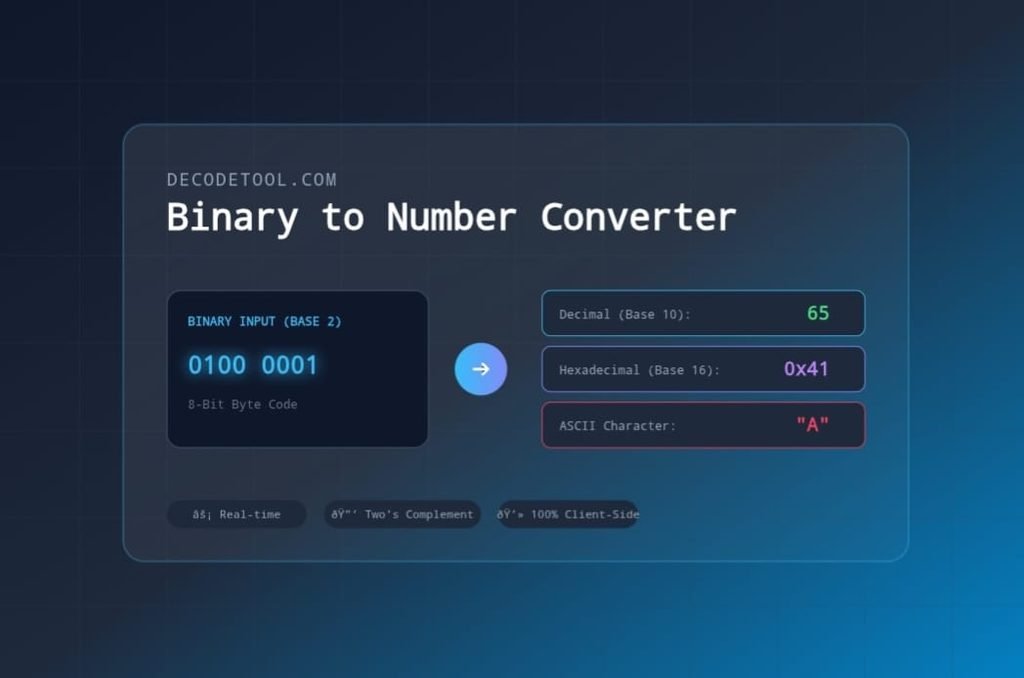
Understanding how binary translates into human-readable numbers, letters, and instructions is a core concept in computer science, network engineering, and software development.
Whether you are a student learning computer science fundamentals, a web developer debugging low-level bitwise operations, or a systems administrator inspecting data payloads, mastering binary conversion is an invaluable skill.
In this guide, we will explore how the binary numeral system works, step-by-step mathematical techniques for converting binary code into decimal, hexadecimal, and octal numbers, and how to perform instant conversions using the free Binary to Number Converter on decodetool.com.
What is Binary Code?
Binary code is a base-2 positional numeral system that uses only two symbols: 0 and 1. Each individual 0 or 1 in a binary sequence is called a bit (short for binary digit).
The Hierarchy of Binary Data Units
To handle complex data, computers group individual bits into larger computational units:
- Bit: A single binary digit (
0or1). - Nibble: A sequence of 4 bits (e.g.,
1010), capable of representing 16 distinct values ($2^4$). - Byte: A sequence of 8 bits (e.g.,
01000001), the foundational unit of memory storage, capable of representing 256 distinct values ($2^8$). - Word: A sequence of 16, 32, or 64 bits depending on CPU architecture (e.g., 32-bit vs. 64-bit processors).
Positional Numeral Systems Explained
To understand binary conversion, it helps to review how our everyday Decimal (Base-10) system works.
Base-10 (Decimal) Mechanics
In the decimal system, each digit’s position represents a power of 10, increasing from right to left starting at $10^0$:
$$\text{Number } 352_{10} = (3 \times 10^2) + (5 \times 10^1) + (2 \times 10^0)$$
$$352_{10} = 300 + 50 + 2 = 352$$
Base-2 (Binary) Mechanics
The binary system works on the exact same positional principle, but instead of powers of 10, each position represents a power of 2:
| Position (from right) | 27 | 26 | 25 | 24 | 23 | 22 | 21 | 20 |
| Decimal Value | 128 | 64 | 32 | 16 | 8 | 4 | 2 | 1 |
How to Convert Binary to Decimal (Base-10)
Converting a binary string to a standard decimal number involves multiplying each bit by its corresponding power of 2 positional value and adding the results together.
Step-by-Step Example: Convert 10110101 to Decimal
- Write down the binary digits and assign positional powers of 2 (from right to left):
$$\begin{array}{rcccccccc} \text{Binary Bit:} & 1 & 0 & 1 & 1 & 0 & 1 & 0 & 1 \\ \text{Power of 2:} & 2^7 & 2^6 & 2^5 & 2^4 & 2^3 & 2^2 & 2^1 & 2^0 \\ \text{Decimal Value:} & 128 & 64 & 32 & 16 & 8 & 4 & 2 & 1 \end{array}$$
- Multiply each bit by its positional value:
- $(1 \times 128) = 128$
- $(0 \times 64) = 0$
- $(1 \times 32) = 32$
- $(1 \times 16) = 16$
- $(0 \times 8) = 0$
- $(1 \times 4) = 4$
- $(0 \times 2) = 0$
- $(1 \times 1) = 1$
- Sum the active values:
$$128 + 0 + 32 + 16 + 0 + 4 + 0 + 1 = \mathbf{181}_{10}$$
Therefore, 10110101 in binary equals 181 in decimal.
How to Convert Decimal Numbers to Binary
To convert a standard decimal integer into binary code manually, use the Repeated Division-by-2 Method.
Algorithm:
- Divide the decimal number by 2.
- Record the remainder (
0or1). - Update the quotient and repeat step 1 until the quotient becomes 0.
- Read the recorded remainders in reverse order (from bottom to top).
Example: Convert 156 to Binary
$$\begin{array}{rcc} \text{Operation} & \text{Quotient} & \text{Remainder} \\ \hline 156 \div 2 = & 78 & 0 \quad (\text{Least Significant Bit – LSB}) \\ 78 \div 2 = & 39 & 0 \\ 39 \div 2 = & 19 & 1 \\ 19 \div 2 = & 9 & 1 \\ 9 \div 2 = & 4 & 1 \\ 4 \div 2 = & 2 & 0 \\ 2 \div 2 = & 1 & 0 \\ 1 \div 2 = & 0 & 1 \quad (\text{Most Significant Bit – MSB}) \end{array}$$
Reading the remainders from bottom to top yields: 10011100.
Signed Numbers: Two’s Complement Representation
In computing, numbers aren’t always positive. To represent negative integers in binary, systems use Two’s Complement notation.
In an $N$-bit signed integer system:
- The most significant bit (leftmost bit) acts as the sign bit:
0represents a positive number.1represents a negative number.
How Two’s Complement Works (8-Bit Example)
To represent -42 in 8-bit Two’s Complement:
- Find the positive binary representation of 42:$$\text{Positive 42} = \text{`00101010`}$$2. Invert all bits (One’s Complement):$$\text{Inverted} = \text{`11010101`}$$
- Add 1 to the result:$$\begin{array}{rl} & 11010101 \\ + & 00000001 \\ \hline = & \mathbf{11010110} \end{array}$$
Thus, 11010110 in 8-bit Two’s Complement represents -42.
Binary, Hexadecimal, and Octal Relationships
Binary sequences can quickly become long and difficult to read. To simplify notation, developers frequently group binary digits into Hexadecimal (Base-16) or Octal (Base-8) formats.
+-----------------------------------------------------------------------+
|  Binary:       0100      1011      1100      0001                     |
|                 │         │         │         │                       |
|  Hexadecimal:   4         B         C         1      -> (0x4BC1)      |
+-----------------------------------------------------------------------+
1. Binary to Hexadecimal Conversion
Because $16 = 2^4$, exactly 4 binary bits (one nibble) map directly to 1 hexadecimal character.
| Binary | Hex | Binary | Hex |
0000 | 0 | 1000 | 8 |
0001 | 1 | 1001 | 9 |
0010 | 2 | 1010 | A |
0011 | 3 | 1011 | B |
0100 | 4 | 1100 | C |
0101 | 5 | 1101 | D |
0110 | 6 | 1110 | E |
0111 | 7 | 1111 | F |
Example: 1101 1001 $\rightarrow$ D and 9 $\rightarrow$ 0xD9 in Hexadecimal.
2. Binary to Octal Conversion
Because $8 = 2^3$, exactly 3 binary bits map directly to 1 octal digit.
Example: 011 101 $\rightarrow$ 3 and 5 $\rightarrow$ 35 in Octal.
Converting Binary Code to Text (ASCII Decoding)
Beyond encoding pure numbers, binary sequences are used to represent text characters via standardized character sets like ASCII and UTF-8.
In standard ASCII, every character is assigned an 8-bit byte code (0–127 decimal):
- Letter ‘A’ = Decimal
65= Binary01000001 - Letter ‘B’ = Decimal
66= Binary01000010 - Letter ‘C’ = Decimal
67= Binary01000011
Decoding Example:
Converting the binary sequence 01001000 01101001 to text:
- First byte
01001000= Decimal72= ‘H’ - Second byte
01101001= Decimal105= ‘i’ - Combined Output = “Hi”
Step-by-Step: Using decodetool.com to Convert Binary Online
Performing manual binary conversion calculations for long bit sequences or negative Two’s Complement numbers can be time-consuming.
The Binary to Number Converter on decodetool.com provides instant conversion across multiple number bases.
 ┌─────────────────────────────────────────────────────────────┐
 │                Input: 01000001 01000010                     │
 └──────────────────────────────┬──────────────────────────────┘
                                │
                                ▼
 ┌─────────────────────────────────────────────────────────────┐
 │               decodetool.com Processing Engine              │
 └──────┬───────────────────────┼───────────────────────┬──────┘
        │                       │                       │
        ▼                       ▼                       ▼
 ┌──────────────┐        ┌──────────────┐        ┌──────────────┐
 │ Decimal: 65  │        │ Hex:  0x4142 │        │ ASCII: "AB"  │
 └──────────────┘        └──────────────┘        └──────────────┘
Steps to Convert Binary Code to Numbers Online:
- Navigate to the Tool: Open the Binary to Number Converter on decodetool.com.
- Select Conversion Direction:
- Binary → Number: Choose this mode to decode raw binary sequences into numbers or text.
- Number → Binary: Choose this mode to encode decimal, hexadecimal, or octal values into formatted binary bits.
- Configure Representation Options:
- Select Unsigned Integer for standard positive number values.
- Select Signed Two’s Complement (8-bit, 16-bit, or 32-bit) to calculate negative binary values accurately.
- Enter Your Binary Data: Type or paste your bit sequence into the input field. Spaces, line breaks, and common byte separators are automatically handled.
- View Instant Multi-Base Results: The tool instantly displays:
- Decimal (Base-10) representation
- Hexadecimal (Base-16) code
- Octal (Base-8) representation
- Decoded ASCII Text (if the input consists of valid 8-bit character codes)
Common Applications of Binary Conversion
| Field | Practical Use Case |
| Networking & Subnetting | Converting IPv4 addresses and CIDR subnet masks (255.255.255.0 $\leftrightarrow$ 11111111.11111111.11111111.00000000). |
| Embedded Systems | Programming hardware registers, setting bitmasks, and configuring microcontrollers via binary flags. |
| Web Development | Debugging CSS color codes (#FF5733), Base64 payloads, and WebSocket binary data frames. |
| Cybersecurity & Reverse Engineering | Analyzing memory dumps, investigating malware binaries, and inspecting network packet headers. |
Frequently Asked Questions (FAQ)
What is the difference between signed and unsigned binary numbers?
Unsigned binary numbers represent only non-negative values ($0$ to $2^N – 1$). Signed binary numbers use the leftmost bit as a sign indicator, allowing representation of both negative and positive integers via Two’s Complement notation.
Why do computers use binary instead of decimal?
Binary is used because electronic hardware relies on transistors that act as simple switches. A physical state of low voltage (0) or high voltage (1) is reliable, less susceptible to signal noise, and simpler to build than circuits requiring ten distinct voltage levels.
How many bits make up a standard byte?
A standard byte consists of 8 bits, which can express $256$ ($2^8$) distinct numerical values ranging from $0$ to $255$.
Does the decodetool.com Binary Converter process data securely?
Yes. The Binary to Number Converter performs all calculations locally within your web browser using JavaScript. Your input data is never transmitted to an external server.
Try the Tool Today
Need to convert binary strings, inspect bitwise values, or decode ASCII text sequences? Try the fast, responsive Binary to Number Converter on decodetool.com now!